metaquest-teleop
Stream your hands from a Meta Quest to Python, to control robots. Up to 120 times a second you get both wrists, 25 joints and 20 joint angles per hand. Nothing to install on the headset.
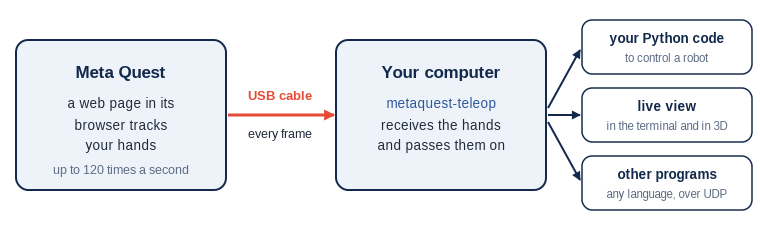
In three steps
pip install metaquest-teleopPlug in the headset and run
metaquest-teleop.In the Quest’s browser, open http://localhost:8012 (with the
http://) and press Start.
No headset? Run metaquest-teleop-fake in a second terminal. Get started has the
details, including the one-time setup of the headset.
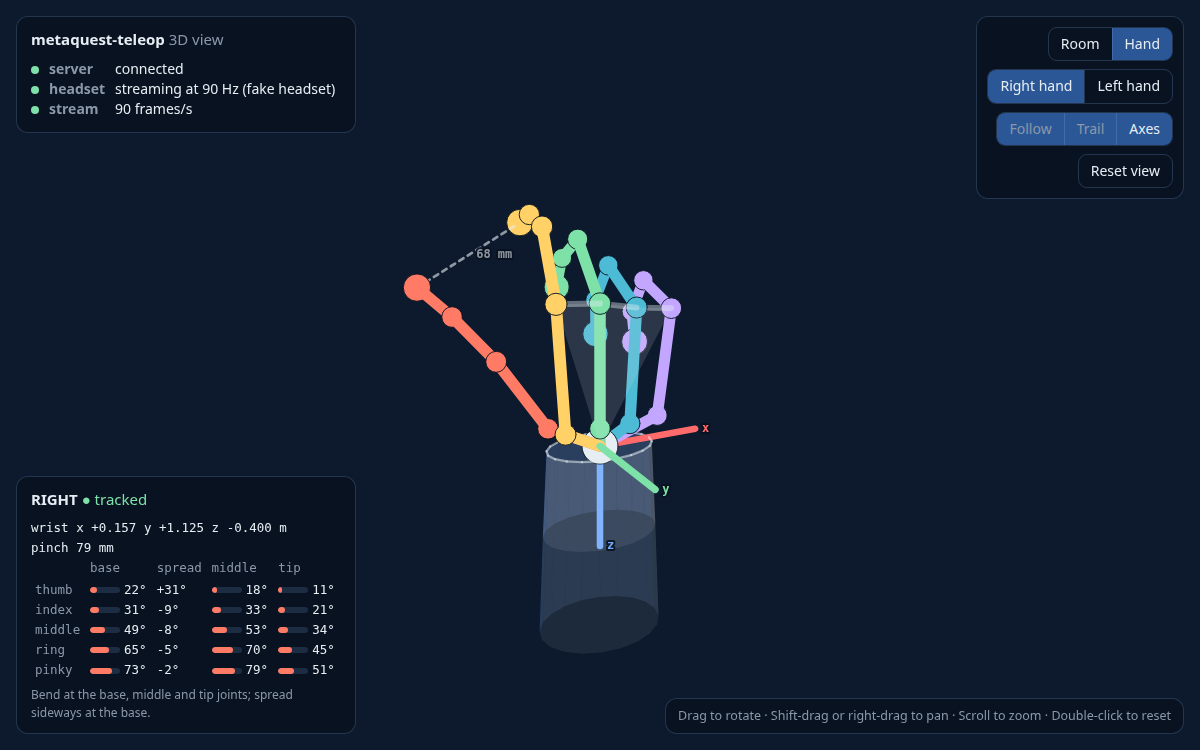
See your hands in 3D
Open http://localhost:8012/view on your computer, or try it now in your browser, with a fake hand.
Use them in Python
from metaquest_teleop import QuestHands

with QuestHands() as quest:
    while True:
        frame = quest.wait()  # the next frame from the headset
        if frame.right is not None:
            print(frame.right.wrist.position, frame.right.pinch)
More in Use it in Python.
Drive a robot
Your right hand drives the robot; pinch your left hand to pause it, and it holds when a hand is
not seen (Teleoperation). metaquest-teleop publishes it all on ROS 2,
Humble or Jazzy, whenever it finds ROS. Driving the ADAPT hand? See ADAPT Hand.
Written by Gregorio Valenti and Lorenzo Vignoli. MIT license. Source on GitHub.